


Perfect Viewer Source Plugin
3.628.00 Reviews
App Specs
- Version
- 1.3.6
- Updated On
- License
- Free
- Downloads
- 100,000+
- Developer
- Rookie001
- Categories
- Comics
- Platform
- Android
Screenshots
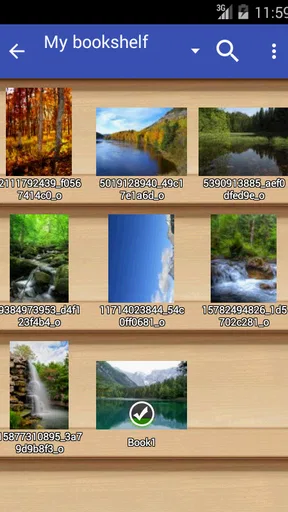
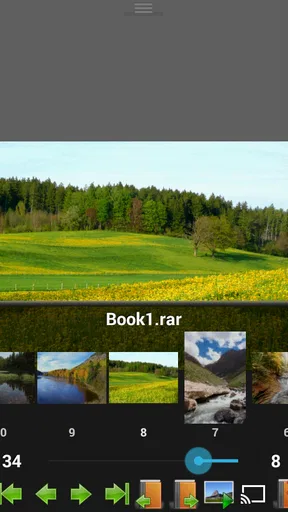
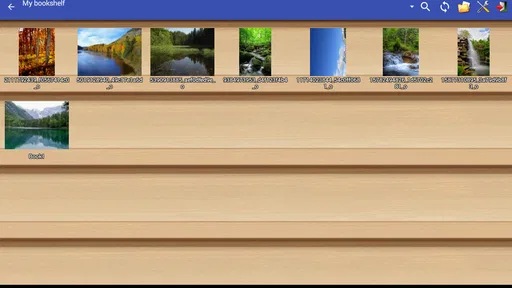
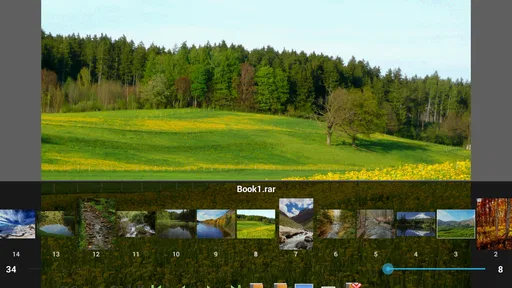
 Analysis by AppCompare
I approached Perfect Viewer Source Plugin as a small but useful companion for comic reading rather than as a complete reader on its own. Its purpose is focused: it lets Perfect Viewer work with comic files stored in Google Drive, Dropbox, and OneDrive. That narrow role is important because expectations are easy to get wrong. You are not installing a new comic library, social platform, or general cloud manager. You are adding a bridge between a familiar comic-reading workflow and three widely used storage services.
In my experience, that focus is both the plugin’s best quality and its main limitation. When my comics are already organized in cloud folders, opening them through a reader is much more convenient than repeatedly downloading files manually. On the other hand, anyone looking for a standalone comic app, a discovery service, or a modern all-in-one library will find this tool too specialized. It makes Perfect Viewer more flexible; it does not replace Perfect Viewer.
How the plugin fits into a practical comic-reading setup
The plugin comes from Rookie001 and belongs to the comics category. It is free, carries an Everyone content rating, and has been available since Aug 18, 2015. Its current version is 1.3.6, with support reaching back to Android 3.1. Those details point to an older, lightweight utility whose value comes from compatibility and a simple job rather than from a constantly changing interface.
The app has passed the 100K+ install mark and holds a 3.6 average from around 500 ratings. I would read that as a sign of useful but uneven appeal. A source plugin can work very well for one person and feel unnecessary to another, depending on where their files live and how much they already rely on Perfect Viewer. The rating makes sense to me: the concept is practical, but cloud access introduces setup and account-related friction that a local-folder reader does not have.
The first thing to understand is that the plugin is not the reading surface. Perfect Viewer remains the place where pages are opened and navigated, while this add-on supplies access to remote comic files. That division can be helpful because it keeps the reading experience centered on the reader you already use. It also means you should install it only if Perfect Viewer is part of your routine; by itself, the plugin has little reason to exist.
A realistic example is a reader who keeps a collection on a desktop and stores selected folders in OneDrive. Instead of copying every volume to a phone before a trip, the reader can use the source plugin to reach those files from within the established Perfect Viewer workflow. Another reader might keep a small reading queue in Dropbox and use Google Drive for shared or archived material. The advantage is not just cloud storage; it is avoiding a separate file-browser routine every time a comic needs to be opened.
What I found useful in everyday use
The most valuable workflow is separating storage from reading. I can keep a larger collection away from the device and bring individual titles into the reading process when needed. That is especially sensible on phones with limited space, although the practical experience will still depend on the connection and on how the storage service handles the file. The plugin gives the reader a way to keep the cloud as the source of truth instead of creating several confusing copies.
Worth Reading Before You Choose

EA SPORTS FC Mobile 26 Is a Bigger Football Game, but It Takes Time

Flipboard Shows What News Apps Must Do Beyond the Feed

Switching to Android Auto Means Rethinking Your Driving Routine

Google Calendar Makes a Crowded Week Easier to Manage

Ludo King Makes the Most of the Minutes Between Plans

Baby Panda World Brings Quick Play to Modern Phones, but Its Game Library Feels Busy
It also suits households or small teams where files are already divided between services. A person may receive comics through one cloud account, maintain personal backups in another, and still want one reading application. Having access points for Google Drive, Dropbox, and OneDrive is more useful than supporting only one provider, because changing storage habits does not automatically require changing the reading app.
There is a less obvious organizational benefit too. Cloud folders can act as a simple catalog without requiring a separate comic-management system. I can arrange series, volumes, reading status, or language editions using folders and filenames, then use the plugin to reach that structure. This is not a sophisticated library database, but for readers who already maintain tidy folders, it avoids rebuilding the same organization inside another app.
My practical advice is to make the folder structure readable before relying on the plugin. Put a series in one location, keep volume names consistent, and avoid scattering pages across several unrelated folders. A source plugin can expose what is stored remotely, but it cannot compensate for a chaotic archive. Good naming becomes more important when browsing through a cloud account on a smaller screen.
I would also test the workflow with one nonessential comic before moving a whole collection into it. That gives you a chance to see how account selection, folder browsing, and file opening behave in your particular setup. It is a simple precaution, but it prevents a frustrating first session in which you are trying to diagnose both the plugin and an unfamiliar cloud arrangement at the same time.
Trust begins with the account boundary
Because this tool connects a comic reader to cloud storage, I pay more attention to account choices than I would with a purely local viewer. The useful question is not just whether a service is supported, but which account I am allowing the reading workflow to reach. Google Drive, Dropbox, and OneDrive may contain personal documents alongside comics, so choosing the correct account and location matters.
I would avoid treating the plugin as a reason to connect every account available on the phone. A cleaner approach is to use the account that actually contains the reading folders and keep sensitive work or family storage separate when possible. This is a user-controlled decision, and it reduces the chance of browsing the wrong repository or accidentally making a private archive part of a casual reading setup.
The plugin’s age also influences my expectations. A utility first released in 2015 may be perfectly adequate for its narrow task, but I would not assume that its sign-in flow feels as polished as newer cloud applications. If an account screen looks unfamiliar, I would slow down, read the choices, and confirm the selected account rather than tapping through quickly. That is good practice for any storage connector, especially one that sits inside an older reader ecosystem.
I am careful here not to confuse a simple interface with a guarantee of privacy. What I can judge responsibly is the visible control the user has during setup: which provider is selected, which account is used, and which folders are opened. Those choices deserve attention. I would not grant broader access casually, and I would remove the connection if I stopped using the plugin or changed my storage arrangement.
Permissions and data-sensitive moments
The most sensitive moment is authentication. A cloud source needs some way to identify the account and reach the selected files, so the sign-in screen deserves the same caution as any other cloud-connected tool. I would look for the provider’s recognizable account flow, verify that I am using the intended profile, and avoid entering credentials into anything that does not clearly belong to the storage provider.
Another sensitive moment occurs when a comic folder contains more than comics. A shared folder might include notes, scans, documents, or personal images. Even if the reader’s goal is harmless, browsing a broad folder creates unnecessary exposure and makes mistakes more likely. I recommend creating a dedicated comics folder and pointing the workflow there. This is one of the most practical privacy improvements available to the user because it relies on organization rather than assumptions.
Cloud access can also create confusion about local and remote copies. If I open a file from storage, I want to know whether I am simply viewing it through the reader or creating a copy on the device. The exact behavior can depend on the reader, provider, and file workflow, so I would check the device’s storage afterward if space or confidentiality matters. Readers who handle sensitive material should be especially deliberate about where downloaded or cached files remain.
For that reason, I would not use this setup casually on a shared phone without checking the account state afterward. Sign out of the relevant provider when appropriate, remove an account that no longer belongs on the device, and review the cloud app itself if the phone is used by other people. The plugin can be convenient, but convenience should not replace basic account hygiene.
I also prefer keeping the plugin’s role narrow. I would use it to reach a selected comics folder, not as a general-purpose way to browse an entire cloud drive. That distinction reduces accidental exposure and makes the app easier to understand. When a tool has a focused purpose, the safest workflow is usually the focused one.
Where user control matters most
The strongest form of control here is deciding what to connect and when. I can keep comics local and use the plugin only for an archive, or I can make cloud folders the main source for reading. I can also choose one provider instead of all three. That flexibility is more valuable than a long feature list because it lets the setup match the way I actually store files.
There is a useful trade-off between convenience and independence. A cloud-based collection is easier to reach from multiple devices, but it depends on account access, network availability, and the continued suitability of the storage provider. A local collection is more predictable during travel and usually easier to manage without sign-in, but it requires manual transfers and device space. This plugin makes the cloud side more accessible; it does not remove the underlying trade-off.
For travel, I would prepare rather than assume. If I know I will be without a reliable connection, I would make sure the comics I want are available through the reading workflow before leaving. I would not wait until an airplane, train, or remote area to discover that a file still depends on online access. That small planning step is one of the clearest differences between a smooth session and a disappointing one.
Another useful habit is keeping the original cloud structure stable. If I rename folders or move volumes while relying on them from the reader, I should expect to revisit the source location. A plugin that points into cloud storage is more dependable when the archive is not being reorganized constantly. For readers who frequently rename and relocate files, a local library manager may be less frustrating.
The app is also a better fit for people who already understand their cloud accounts. Beginners can use it, but they may find the relationship between the plugin, Perfect Viewer, and the storage provider less obvious than a single modern comic app. If a reader wants automatic discovery, polished metadata, reading synchronization, and a guided library, this is probably not the right direction. Its strength is direct access to files, not hand-holding.
How it compares with the usual alternatives
The most obvious alternative is downloading comics through a cloud app and opening them with a file manager or reader. That method can work, but it creates extra steps: locate the file, download or share it, choose the reader, and later clean up copies. The source plugin is preferable when I want the cloud location to remain part of the reading path instead of treating every comic as a one-off transfer.
A local-folder approach is simpler when the collection is already on the phone. It avoids account selection and makes offline reading more predictable. I would choose local storage for a frequently reread set, for travel preparation, or whenever cloud access feels like needless complexity. The plugin earns its place when the collection is large, remote, or shared across devices.
Dedicated comic services can offer discovery, subscriptions, metadata, and synchronized progress, depending on the service. Those are different priorities from this plugin’s file-based approach. I would choose a dedicated service for convenience and catalog features, while choosing this add-on for control over my own files and folder structure. Readers who own DRM-protected or service-specific content should not expect a generic source plugin to replace the official application.
There is also a privacy trade-off between these choices. A local reader keeps the storage path straightforward, while a cloud-connected workflow introduces an account and a remote repository into the chain. The plugin does not make that decision for me, which I appreciate, but it also means I must make it consciously. The best option depends less on the number of supported services than on whether I am comfortable with the access model.
Who should install it, and who should skip it
I recommend it to existing Perfect Viewer users who keep comics in Google Drive, Dropbox, or OneDrive and want fewer steps between storage and reading. It is particularly suitable for people who maintain their own folder-based collections, switch between devices, or want to keep a large archive away from phone storage. For those readers, the plugin solves a specific problem without forcing a new library system.
I would also consider it for someone who values ownership of their files more than automated cataloging. A carefully organized cloud archive can remain understandable outside the app, which is useful if I later change readers or move files. That independence is a real advantage over systems where the collection is locked into a proprietary library structure.
I would skip it if I do not use Perfect Viewer, because the plugin is not a complete comic reader. I would also skip it if all my comics are already local and easy to open, or if I want a polished service with recommendations, metadata, and synchronized reading progress. In those cases, the extra cloud connection may add more setup than value.
Readers who are uncomfortable managing account access should start with local files instead. This is not because the plugin is automatically unsafe; it is because cloud connectors require attentive choices. If selecting accounts, limiting folders, and checking storage behavior feels burdensome, a local workflow is easier to understand and control.
My cautious verdict
Perfect Viewer Source Plugin is a practical bridge for a specific kind of comic reader. I like it when the goal is clear: reach personally managed comics in Google Drive, Dropbox, or OneDrive through Perfect Viewer without turning every reading session into a manual file-transfer task. The free price and broad device compatibility make it easy to try, while the focused design keeps it from becoming another oversized app.
My recommendation comes with a condition: treat it as a cloud access tool, not as a complete library solution. Use a dedicated comics folder, connect only the account you need, prepare files before offline trips, and check where remote files are stored when privacy or device space matters. Those habits do more for a reliable experience than any single convenience feature.
The modest 3.6 average is a fair reminder that this is not a universal upgrade. It will feel useful to readers whose collections already live in supported services, and unnecessary to everyone else. I would install it when my cloud archive is central to how I read, but I would choose a local reader or a full comic service when simplicity, offline certainty, or catalog features matter more than direct access to my own folders.
Pros
- Supports many popular comic archive formats.
- Integrates directly with the Perfect Viewer app.
- Keeps source-plugin downloads separate from the main app.
- Lightweight installation with minimal device storage use.
- Useful for accessing additional online comic sources.
Cons
- Requires Perfect Viewer to work properly.
- Some sources may become unavailable without warning.
- Setup can be confusing for first-time users.
- Source content and quality may vary considerably.
- May require separate plugins for different sources.
FAQs for Perfect Viewer Source Plugin
What is Perfect Viewer Source Plugin, and what does it do?
Perfect Viewer Source Plugin is an add-on designed to extend the functionality of the Perfect Viewer comic and manga reader on Android. It allows the main app to access additional online content sources, depending on the specific plugin version. The plugin is not a standalone reader, so you normally need Perfect Viewer installed first. Its purpose and available sources can vary between releases.
Do I need Perfect Viewer installed before using this plugin?
Yes. Perfect Viewer Source Plugin is intended to work together with the main Perfect Viewer application and generally cannot be used independently. After installing it, open Perfect Viewer and check its source, network, or plugin settings to configure access. If the add-on does not appear, make sure both applications are compatible, updated, and installed from a trustworthy source.
Is Perfect Viewer Source Plugin safe to install?
The plugin should be downloaded from a reputable store or the official Perfect Viewer distribution whenever possible. Because source plugins may connect to external websites, the safety of the content and links can depend on those third-party services. Review requested permissions, avoid suspicious download prompts, and keep Android and Perfect Viewer updated. Do not install modified APK files from unknown websites.
Does the plugin provide comics or manga for free?
The plugin itself is mainly a connection or source component rather than a complete catalog of licensed comics and manga. Whether content is free, paid, publicly available, or unavailable depends on the external source it connects to. Users should respect copyright laws and the terms of each website. The plugin does not automatically grant legal access to copyrighted material.
Why might the plugin stop working or fail to load sources?
Source plugins can become unreliable when an external website changes its layout, blocks automated access, requires authentication, or goes offline. Network restrictions, outdated versions, incorrect settings, and compatibility problems with Perfect Viewer can also cause errors. Try updating both apps, checking your connection, reviewing the plugin configuration, and restarting Perfect Viewer. If the source itself has changed, only a plugin update may resolve the issue.


